
Installation Guide
What Goes Into a Clean Frame TV Installation?
The Frame can look incredible. Getting that clean finish starts with planning what goes behind it — the brackets, the wall, the cables, and the power. Here's what we think through so the finished installation looks right.
The installation
The details behind the finished look.
A clean, flush Frame TV is the result of planning that happens before anything goes on the wall. Here's what we think through so the finished installation looks right and is easy to live with.
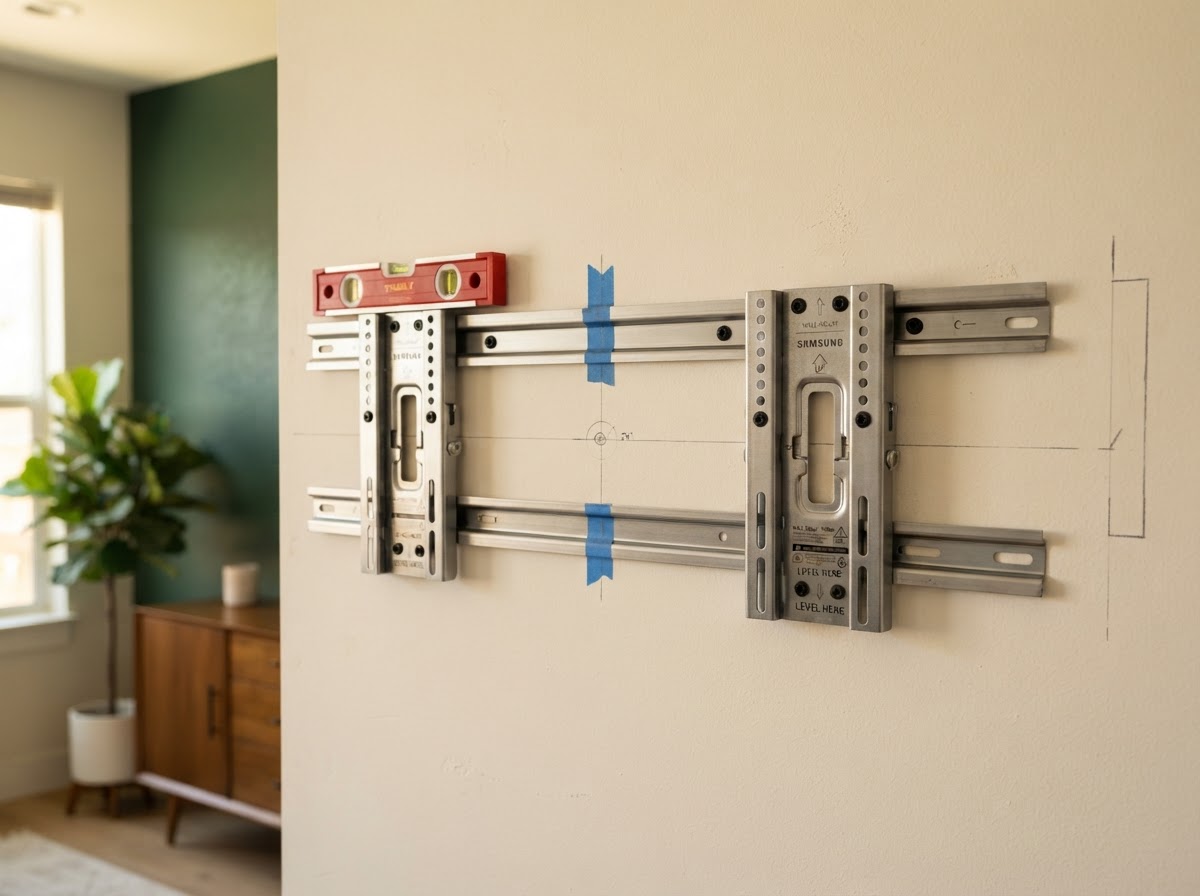
Getting both mounts right
On two-plate Frame models, the left and right mounts need the correct relationship to each other, the wall support, and the finished TV position. We plan the mounting template, studs or backing, equipment enclosure, and decorative frame together — universal bracket measurements don't account for that.
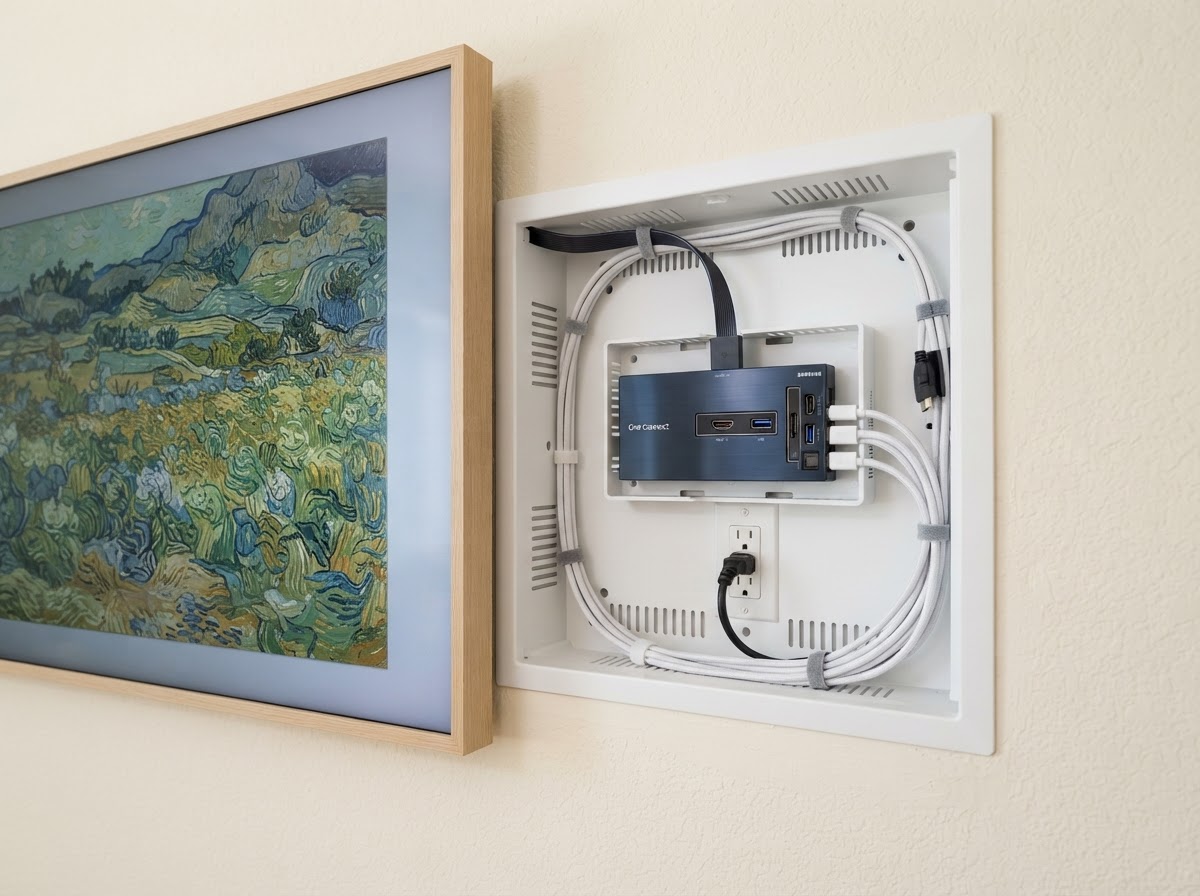
Making room behind the screen
A recessed electrical outlet and a recessed media enclosure are different things. The enclosure can hold the One Connect box and compatible equipment, with room for connections, ventilation, and service access. It's useful when electronics live behind the display; other installations may use a suitable cabinet instead. Not every Frame needs the same box.
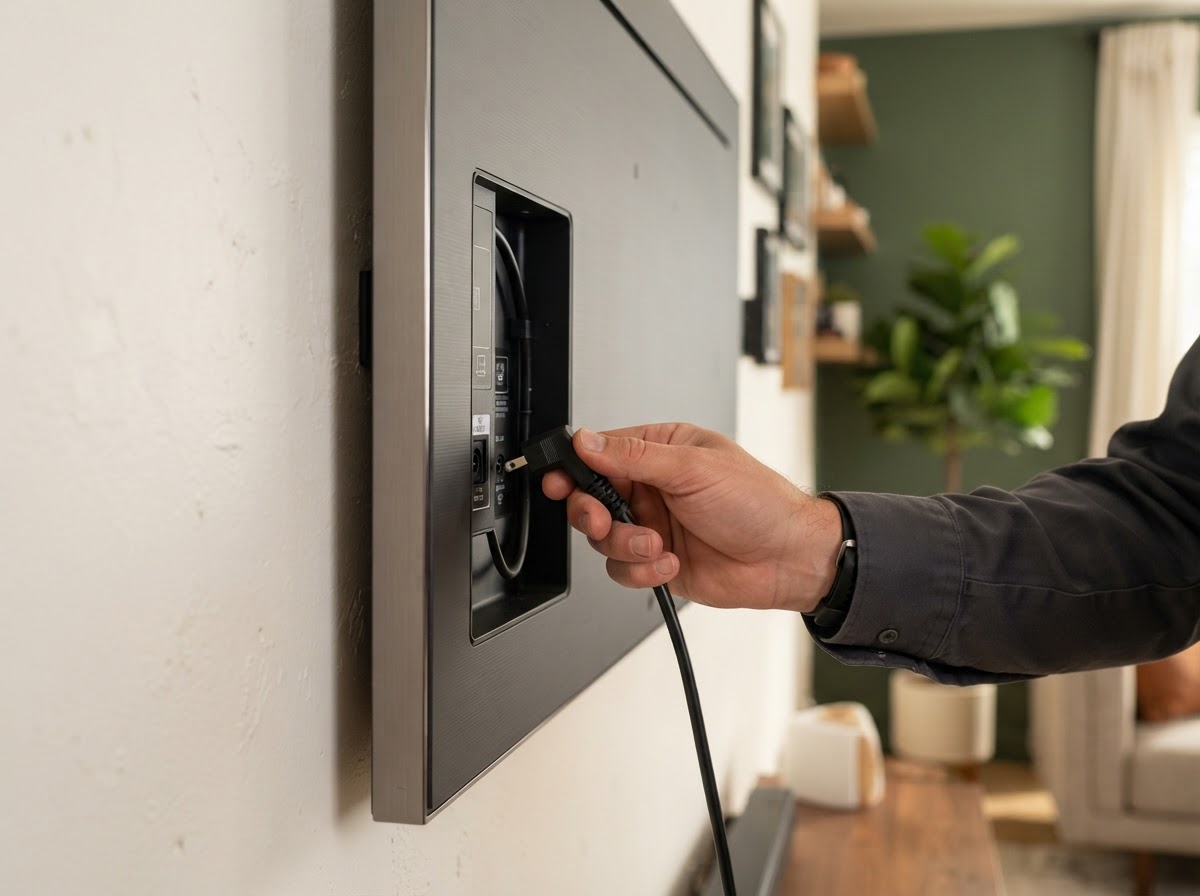
Planning the power
Wired One Connect, wireless One Connect, and built-in connections each need a different layout — and Frame Pro still needs power at the screen. New or relocated outlets should be coordinated with a licensed electrician. An extension cord through the wall isn't the answer, and cable suitability depends on your exact model.
This is educational, not a DIY manual. We're here to plan it with you and handle the installation details the right way.
Samsung The Frame's One Connect Box Explained.
How is a Samsung Frame TV different from conventional TVs, and what does the wiring look like? Say goodbye to the tangled mess of cords. Enjoy a clutter-free, streamlined gallery aesthetic.
Important: 2026 & Model Lineup Hardware Distinctions
Depending on your exact Frame TV model, your TV may or may not require a physical One Connect Box. As of 2026, standard models utilize built-in direct connections or wired boxes on 32", 43", and 50" sizes, while The Frame Pro (LS03HW & LS03FW) uses the groundbreaking Wireless One Connect transceiver.
Classic, Wired, or Wireless — The Choice Is Yours
Designed to adapt to your unique architectural environment and interior layout.
Wireless One Connect (The Frame Pro LS03HW / LS03FW)
Enjoy true design freedom. The Wireless One Connect can seamlessly transmit omnidirectional signals to your TV from up to 10 meters away, allowing you to tuck the equipment box completely out of sight in a media console, closet, or adjacent room.
- Transmits audio and 4K 120Hz HDR video wirelessly with zero latency.
- The Frame stands alone as a pure art gallery canvas on your wall.
- Crucial: The TV screen still requires a separate direct power connection.
One Connect Box: Centralized Source Hub
(4) HDMI 2.1 Ports: Connect Apple TV 4K, Roku, PlayStation 5, Xbox Series X, or AV Receivers with eARC support for uncompressed Dolby Atmos audio. All HDMI cords plug into the hub — zero wires dangle from the TV.
Watch The Frame come to life.
See how a Samsung Frame TV installation comes together — from flush mounting and hidden connections to the decorative frame and the finished art-on-the-wall look.
Power planning
Power is planned, not improvised.
Wired One Connect, wireless One Connect, and built-in connections each need a different layout — and Frame Pro still needs power at the screen. New or relocated electrical outlets should be coordinated with a licensed electrician. An extension cord through the wall is not a safe solution, and cable suitability depends on your exact model.
Recessed outlet
A recessed electrical outlet sits flush behind the TV so the plug doesn't push the screen off the wall. It's the simplest clean-power solution when no equipment lives behind the display.
Media enclosure
A recessed media enclosure can hold the One Connect box and compatible gear, with room for connections, ventilation, and service access. Not every Frame needs the same box — we plan for what your setup actually requires.
Cabinet run
When electronics live in a cabinet below, an in-wall-rated One Connect cord or direct HDMI routing keeps the display flush. We confirm the right cable for your exact model and wall construction.
This is educational, not a DIY electrical or mounting manual. We're here to plan it with you and coordinate the licensed work the right way.
Ready to plan the details?
Send us a photo of the wall and the model you're considering. We'll help you think through the mounting, connections, and finishing details.